Colour grading your band
Each band has a look (H-alpha orange-red, calcium violet and so on). The look is a starting point: here you make it yours. A grade adds hue, saturation, brightness (gamma), a black and a white point and a curve for each of red, green and blue, with a live preview, and it is saved as a named colour preset. The band look is kept; with every grade control at its neutral value the picture is exactly the look.
The capture. 15_32_09.avi, H-alpha, full disc, 250 of 1,000 frames kept, with
the recommended wavelets.
The new H-alpha look
Several users found the old H-alpha pale and cream, not the red-orange of the line.
The look is now closer to the common H-alpha palette: gains red 1.0, green 0.45, blue
0.10 (before the tone gamma; it was 1.0, 0.85, 0.60), exponents 0.70, 0.90, 1.40. A
mid-grey now maps to RGB 169, 68, 11, where it was 169, 90, 33. The same look is
used in helia lut and the colour tables, so a table saved for another program
matches.
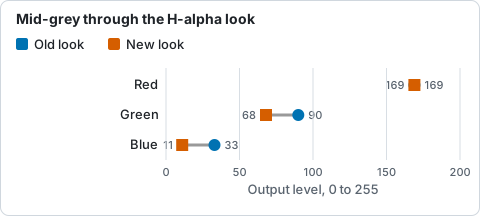
RGB value a mid-grey maps to in the old and the new H-alpha look, as printed on the page.
Step by step, in the app
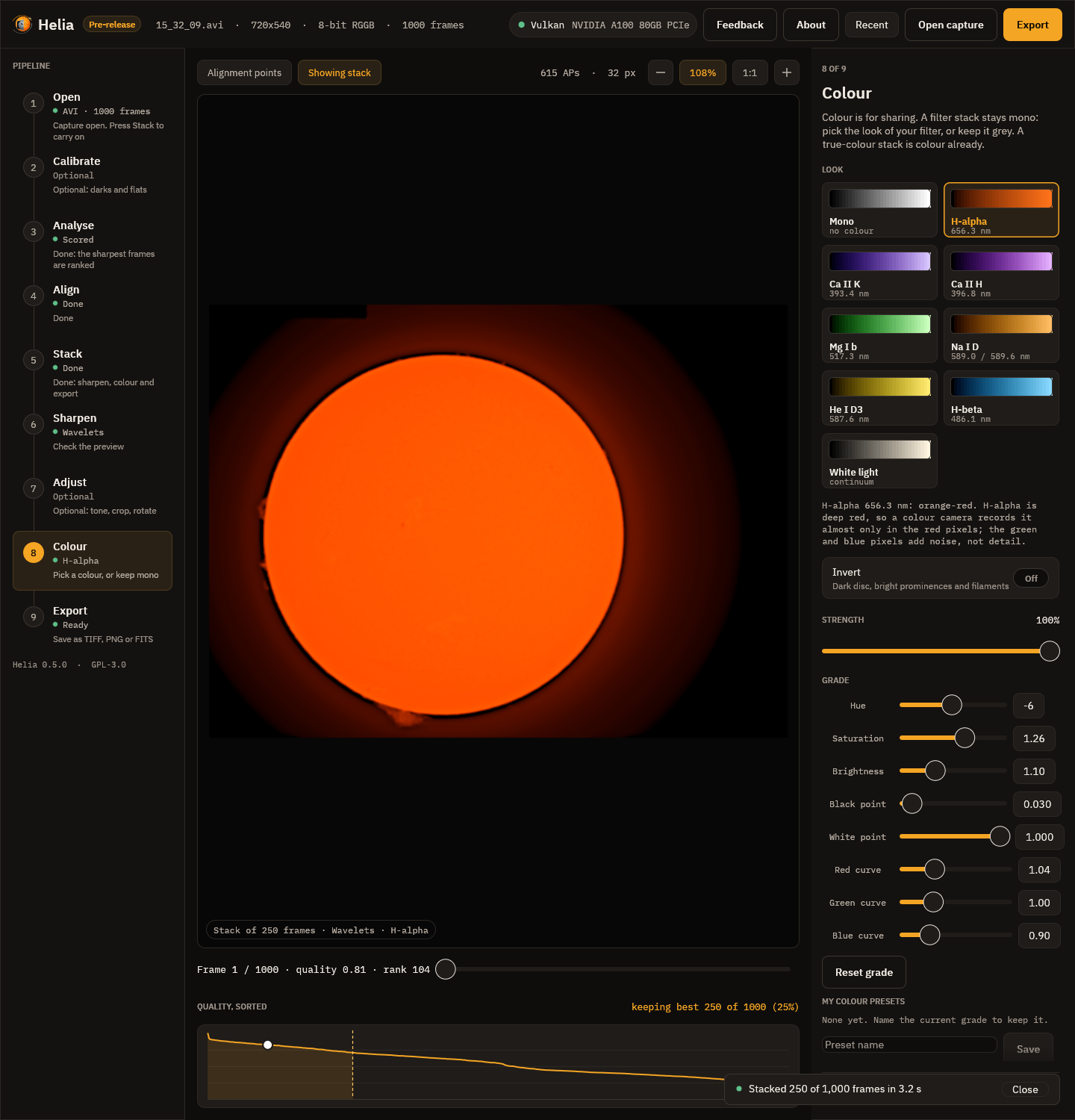
- Stack the capture and go to Colour. H-alpha is already chosen. Under Grade are eight controls, each with a slider and a number box you can type into; the preview follows every one.
- Hue (-180 to 180 degrees) turns the colours round the colour wheel. -6 is a little more red, +8 a little more yellow-green.
- Saturation (0 to 2): 0 is grey, 1 is the look as it is, 1.25 is stronger.
- Brightness is a gamma on the picture before the look (0.3 to 3); above 1 brightens the mid-tones.
- Black point and White point say which stack values become black and full brightness. Raise the black point a little (0.03) to deepen the sky.
- Red, green and blue curves (0.3 to 3) lift or lower the mid-tones of one channel. Blue 0.9 warms the picture, blue 1.2 cools it.
- Name it under My colour presets, press Save, and press its name to use it
again. Reset grade returns to the look. Presets are small readable JSON files
in
$HELIA_COLOUR_PRESETS, else acolour-presetsfolder beside the edit presets (%APPDATA%\helia\colour-presetson Windows,~/.config/helia/colour-presetselsewhere).
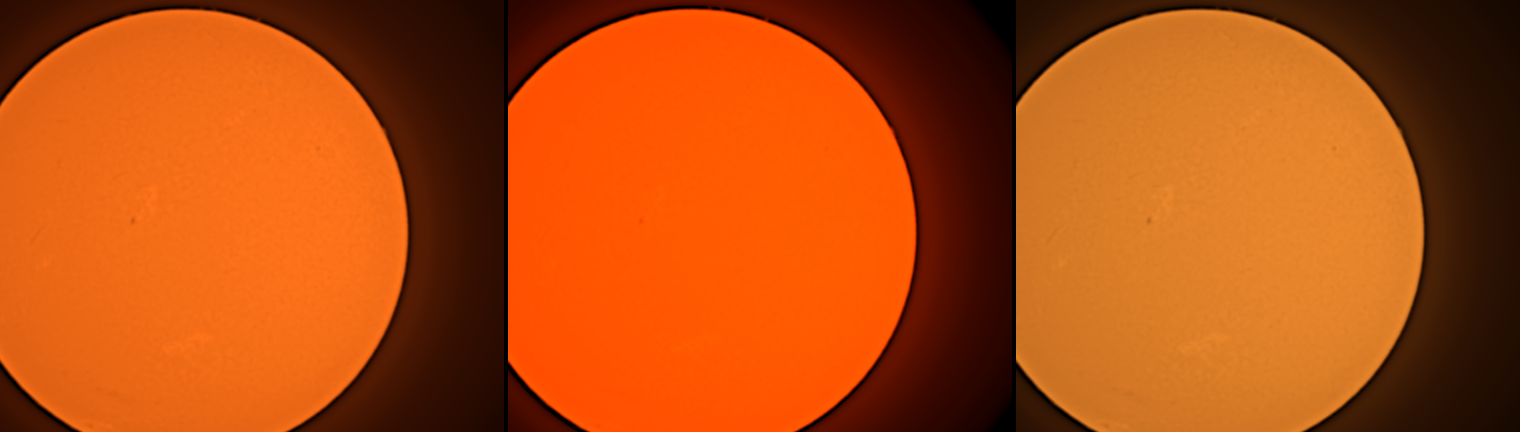
What you should see
The look as it is (left), the warm grade of step 7 (hue -6, saturation 1.25, gamma 1.1, black 0.03, red 1.05, blue 0.9; middle) and a cool one (hue 8, saturation 0.85, gamma 0.95, blue 1.2; right):
The same on the command line and in the API
helia stack 15_32_09.avi -o ha.tif --preset ha \
  --grade hue=-6,sat=1.25,gamma=1.1,black=0.03,r=1.05,b=0.9
helia stack 15_32_09.avi -o ha.tif --preset ha --grade "Warm Ha"   # a saved colour preset
The API takes the same text as grade in the job configuration. The grade is
written into the file's history (grade hue=-6,...), and a colour table saved from
the app carries it. A true-colour stack (--colour true) has no look to grade, so
--grade is refused there.
The keys are hue (-180 to 180), sat (0 to 2), gamma (0.3 to 3), black (0 to
0.9), white (0.1 to 1, at least 0.05 above black) and r, g, b (0.3 to 3).
How it works
The grade is part of the colour table, so the CPU and the GPU agree (the parity
tests cover it) and a .cube or .lut includes it. The mono value is first mapped
through black, white and gamma, then through the band look, then the per-channel
curves; hue rotates the colour about the grey axis and saturation scales its
distance from its luma (Rec. 709 weights).
Troubleshooting
- A flat orange disc. Saturation or the red curve is too high and the red channel clipped. Lower them, or raise the white point.
- Black sky is not black. Raise the black point a little.
- The saved table looks different in another program. A table is the grade at the time you saved it; save again after changing it.
- "grade: ... out of range". The ranges are listed above.