Getting started
This page takes you from nothing to a client talking to a fake Proxmox VE: install, run the command line tool, send the first requests with curl, then do the same from Python. It ends with the format of the guests file.
Contents: install | run it | first requests with curl | API tokens | from Python | the guests file | where next
Install
fakepve needs Python 3.10 or later and aiohttp 3.14.3 or later (the oldest release without a published security advisory). cryptography is optional: it makes the self-signed certificate (so the command line needs it unless you bring your own certificate) and the VNC authentication of the console websocket.
From PyPI:
pip install fakepve            # aiohttp only
pip install 'fakepve[crypto]'  # plus cryptography, for the certificate
pip install 'fakepve[pytest]'  # the pytest fixtures (see [pytest](pytest.md))
From a checkout:
pip install .            # aiohttp only
pip install '.[crypto]'  # plus cryptography
To run it as a container instead, see CI: docker run --rm -p 127.0.0.1:8006:8006 ghcr.io/qisback/fakepve.
This installs the fakepve command and the fakepve package. python -m fakepve does the same as the command, and fakepve --version prints the version.
Run it
python -m fakepve examples/guests.json --host 127.0.0.2
It prints one line, fakepve listening on https://127.0.0.2:8006, and serves until you press Ctrl-C. The login is root@pam with password secret; change them with --user and --password, or the environment variables PVE_USER and PVE_PASS. All options are in CLI.
Three things to know straight away:
- It is a test tool with a public default login. Keep it on loopback (the default address
127.0.0.2is), and set a password with--passwordorPVE_PASSif anyone else can reach the port. See the security policy. - It serves HTTPS with a self-signed certificate, so clients must skip verification or be given a certificate they trust. See CI.
--time-scaledefaults to1, which is real time. A task that PVE would take 30 seconds over takes 30 seconds. For a quick look use--time-scale 0, where every task finishes before the request returns.
First requests with curl
The API lives under /api2/json. PVE has three ways to log in; the first two are shown here, tokens are next.
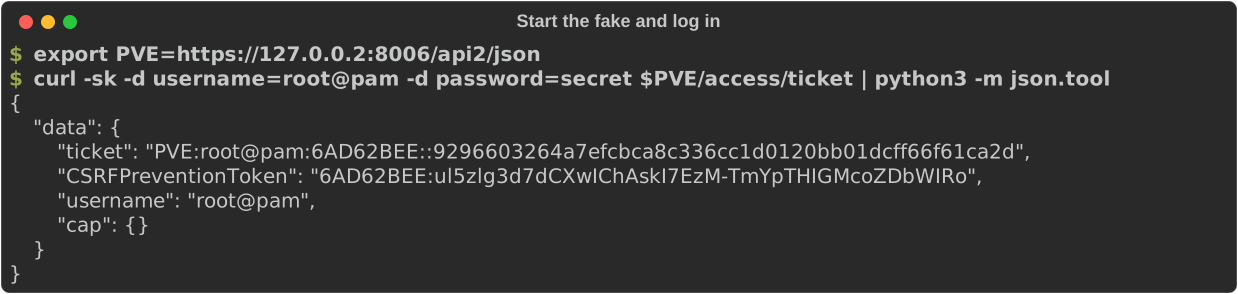
1. Get a ticket. Post the user and password to /access/ticket. The answer holds a ticket (a cookie value) and a CSRFPreventionToken.
$ curl -sk -d username=root@pam -d password=secret https://127.0.0.2:8006/api2/json/access/ticket
{"data": {"ticket": "PVE:root@pam:6AD6238B::63586d89...", "CSRFPreventionToken": "6AD6238B:SfJUY3Dk...", "username": "root@pam", "cap": {}}}
(Tickets are shortened here; yours are longer and different each time.) A user name without a realm gets @pam.
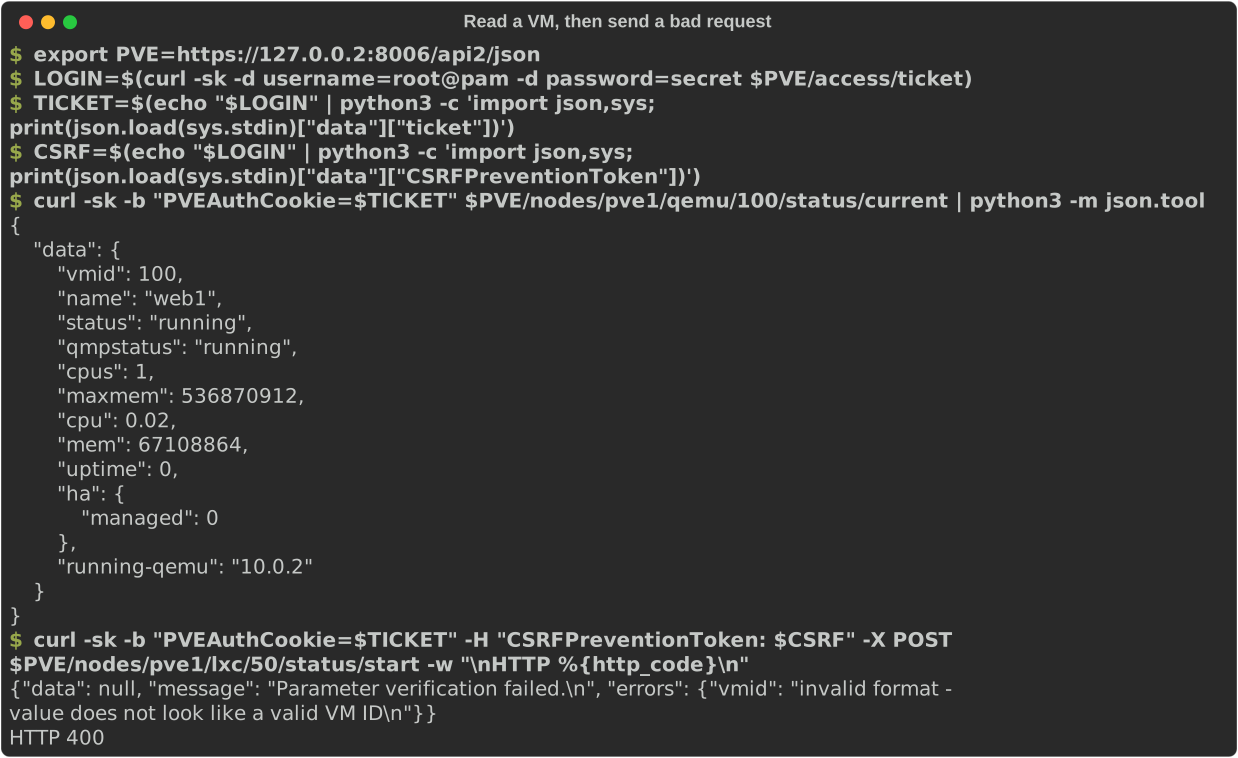
2. Send the ticket as the PVEAuthCookie cookie. Reads need nothing else:
$ curl -sk -b "PVEAuthCookie=$TICKET" https://127.0.0.2:8006/api2/json/nodes/pve1/qemu/100/status/current
3. Writes also need the CSRF token in a CSRFPreventionToken header. Without it the answer is 401 Permission denied - invalid csrf token, as on PVE.
$ curl -sk -b "PVEAuthCookie=$TICKET" -H "CSRFPreventionToken: $CSRF" -X POST \
    https://127.0.0.2:8006/api2/json/nodes/pve1/lxc/50/status/start
{"data": null, "message": "Parameter verification failed.\n", "errors": {"vmid": "invalid format - value does not look like a valid VM ID\n"}}
That is a real PVE-style validation error: HTTP 400, data null, the message, and the per-field errors. Here is the whole sequence, with a VM read and the bad request:
Starting a VM returns a task id (a UPID), which you follow through tasks/{upid}/status and tasks/{upid}/log. VM 103 in the example guests file has a start error, so its task ends with an error:
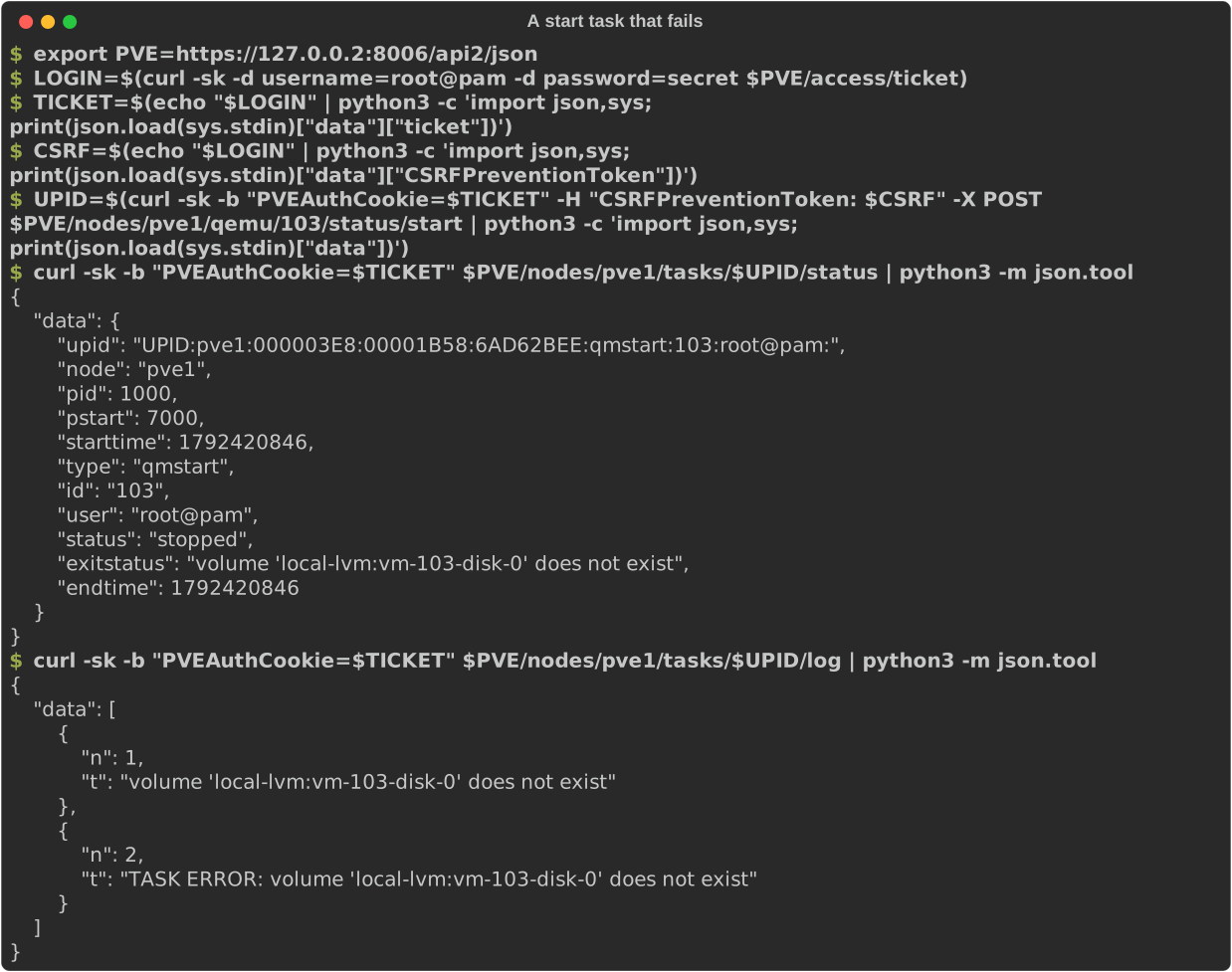
examples/curl.sh is this walk-through as a script.
API tokens
PVE's other login is an API token, sent in one header and needing neither a ticket nor a CSRF token:
$ curl -sk -H "Authorization: PVEAPIToken=root@pam!ci=s3cret" https://127.0.0.2:8006/api2/json/version
The command line has no option to register tokens. Register them from Python with pve.apitokens['root@pam!ci'] = 's3cret', for instance in a small server script such as examples/custom_server.py. A token has the privileges of its user.
From Python
In a test you create the fake in the same process and set up exactly what the test needs. This runs as it stands (it is part of the test suite):
import ssl
import tempfile

import aiohttp

from fakepve import FakePve, settle
from fakepve.certs import make_cert

certfile, keyfile, _ = make_cert(tempfile.mkdtemp())     # self-signed, needs cryptography

pve = FakePve(user='root@pam', password='secret')        # its own loopback address, port 8006
vm = pve.add_vm(100, 'web1', status='running', config={'scsi0': 'local-lvm:vm-100-disk-0'})
vm.shutdown_secs = 90            # the guest takes 90 PVE seconds to power off: longer than PVE waits
await pve.start(certfile, keyfile)
try:
    ctx = ssl.create_default_context()
    ctx.check_hostname = False
    ctx.verify_mode = ssl.CERT_NONE
    base = 'https://{0}:{1}/api2/json'.format(pve.host, pve.port)
    async with aiohttp.ClientSession(connector=aiohttp.TCPConnector(ssl=ctx)) as session:
        async with session.post(base + '/access/ticket',
                                data={'username': 'root@pam', 'password': 'secret'}) as rsp:
            login = (await rsp.json())['data']
        headers = {'Cookie': 'PVEAuthCookie=' + login['ticket'],
                   'CSRFPreventionToken': login['CSRFPreventionToken']}
        async with session.post(base + '/nodes/pve1/qemu/100/status/shutdown', headers=headers) as rsp:
            upid = (await rsp.json())['data']
        async with session.get(base + '/nodes/pve1/tasks/' + upid + '/status', headers=headers) as rsp:
            task = (await rsp.json())['data']
    print(task['status'], '|', task['exitstatus'])
    print(vm.status)
finally:
    await settle()
    await pve.stop()
stopped | VM quit/powerdown failed - got timeout
running
The shutdown task failed with PVE's own message, and the VM is still running. Everything the fake knows is plain Python you can read and set: vm.config, vm.status, vm.lock, pve.tasklog, pve.requests (every request seen), and so on. The full list is in the Python API.
This is the shape of every test: build the cluster, break something, start the fake, drive your client at https://{pve.host}:{pve.port}, check the result. The scenarios cover the breaking, and CI covers pytest fixtures for sync and async clients.
pve.host is a loopback address of its own, handed out in turn (127.0.0.2, 127.0.0.3, ...). On Linux the whole of 127.0.0.0/8 is local, so every fake can listen on the usual port 8006. To choose, pass FakePve(host='127.0.0.1', port=18006).
The guests file
The command line builds its VMs and containers from a JSON file. The top level is an object with a guests list, one object per guest:
{"guests": [
  {"vmid": 100, "name": "web1", "status": "running", "shutdown_secs": 30,
   "config": {"boot": "order=scsi0;net0", "scsi0": "local-lvm:vm-100-disk-0,size=8G",
              "net0": "virtio=BC:24:11:00:01:00,bridge=vmbr0"}}
]}
examples/guests.json has five VMs, one of each interesting kind. These are all the fields the loader reads:
| Field | Type | Default | Meaning |
|---|---|---|---|
vmid |
integer | required | The VM id. |
name |
string | required | The VM name. It is also put in config as name if config has none. |
node |
string | pve1 |
The node the VM lives on. A node that does not exist yet is created, online. |
status |
string | stopped |
running or stopped. A running VM starts counting its uptime now. |
qmpstatus |
string | the status |
The QEMU state: running, stopped, paused, ... Use paused with status: running for a suspended VM. |
config |
object | {} |
The VM's config as PVE shows it: scsi0, net0, memory, boot, ... Values are strings or numbers, kept as given. |
template |
boolean | false |
A template: it cannot be started, and /cluster/resources shows template: 1. |
lock |
string | none | A PVE lock such as backup, snapshot or migrate. The VM reports it and refuses actions. Unlike pve.snapshot_lock() it is not also written into config. |
acpi |
boolean | true |
false: the guest ignores shutdown and reboot, so they run into the timeout. |
shutdown_secs |
number | 0 |
PVE seconds the guest takes to power off after a shutdown request. Longer than the request's timeout (60 by default) and the task fails. |
start_secs |
number | 0 |
PVE seconds the start task runs. |
stop_secs |
number | 0 |
PVE seconds the stop task runs. |
start_error |
string | none | The start task fails with this message (a missing disk, a bad device). |
ha_state |
string | none | Makes the VM HA managed, with this state (started, stopped, error, ...). Start and stop then go through the HA manager. |
agent |
object | none | What the guest agent answers: {"os": {...}, "interfaces": [...]}. Without it the agent is not running. |
type |
string | qemu |
lxc makes a container instead of a VM. A container takes vmid, name (its hostname), node, status, config, template, lock, shutdown_secs, start_secs, stop_secs, start_error, ha_state and ostemplate (a template file name, from which ostype and arch are worked out). The VM-only fields (qmpstatus, acpi, agent) are ignored. |
Anything else in a guest object is ignored without a warning. Notably there is no pool field and no way to set pending: use Python for those. A guest without vmid or name stops the start-up with a KeyError. The loader can only set things on VMs; users, grants, tokens, failures and the cluster scenarios are Python only (see CLI).
Where next
- CLI: every option, with output.
- Python API: every attribute and method.
- Scenarios: slow shutdowns, locks, quorum, Ceph, permissions, failures, one recipe each.
- Errors: PVE's real errors, by name.
- CI: pytest fixtures, background processes, containers and pipelines.
- How it works and the generated endpoint reference.