Command line
fakepve (or python -m fakepve) serves a fake PVE with the VMs from a JSON file. It is the quickest way to point a client, a Terraform provider or an Ansible playbook at something that behaves like Proxmox. For anything the command line cannot set up, see what the command line cannot do.
fakepve GUESTS_FILE [--host HOST] [--port PORT] [--user USER] [--password PASSWORD]
                    [--time-scale TIME_SCALE] [--latency LATENCY] [--cert CERT] [--key KEY] [--version]
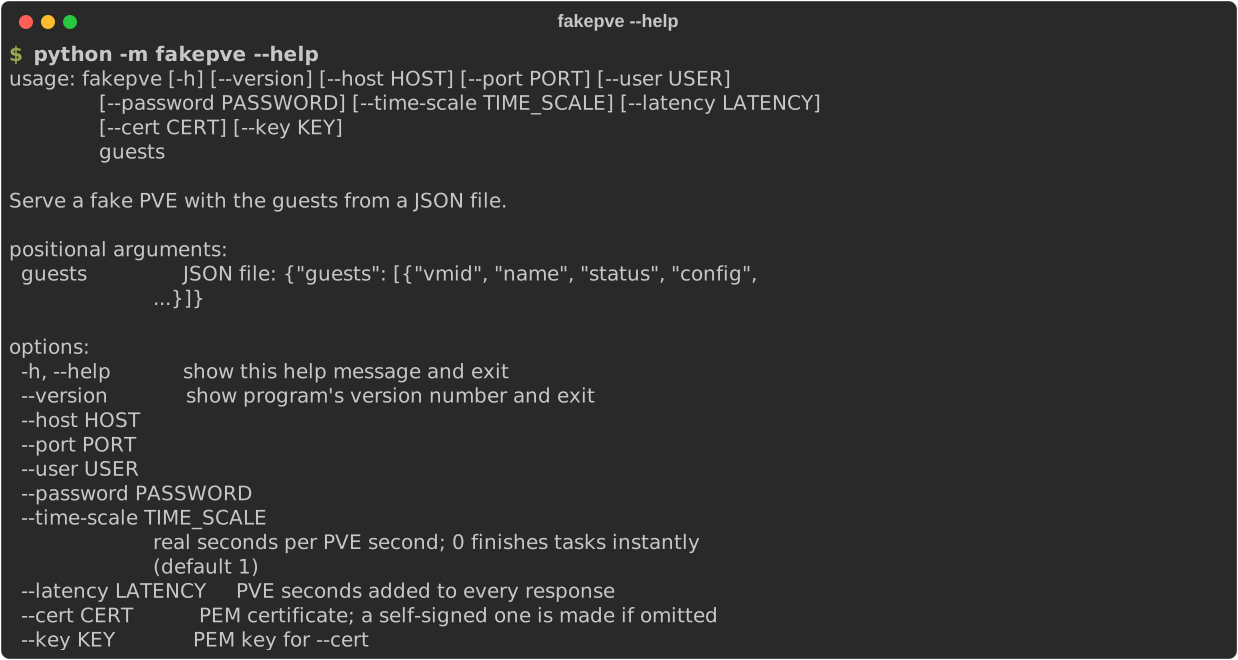
Options
| Option | Default | Meaning |
|---|---|---|
guests (positional) |
required | The JSON file describing the VMs: {"guests": [...]}. The fields are listed in Getting started. |
--host HOST |
127.0.0.2 |
The address to listen on. Use 0.0.0.0 only in a container, and publish its port on loopback (see security). On Linux every 127.x.y.z address is local, so give each fake its own and keep port 8006. Where only 127.0.0.1 is local (macOS, for one), use that with different ports. |
--port PORT |
8006 |
The TCP port. 8006 is PVE's own, and many clients assume it. |
--user USER |
root@pam, or $PVE_USER |
The login. Give it with its realm (user@realm). This user can do everything unless the fake is used from Python with grants. |
--password PASSWORD |
secret, or $PVE_PASS |
Its password. |
--time-scale T |
1 |
Real seconds per PVE second. See time. |
--latency SECONDS |
0 |
PVE seconds added to every response (pve.slow_network(latency)). Scaled by --time-scale, so it does nothing at 0. |
--cert FILE |
none | PEM certificate to serve. Without --cert a self-signed one is made, which needs cryptography. |
--key FILE |
none | PEM key for --cert. May be omitted if the key is in the same file. |
--version |
Print the version and exit. | |
-h, --help |
Show the usage. |
Environment variables: PVE_USER and PVE_PASS set the defaults of --user and --password; an option on the command line wins. There are no others.
Security
fakepve is a test tool, not a security boundary: the login root@pam / secret is the same for everyone who reads the documentation, and whoever can connect can change the fake's state. Keep it on a loopback address, which is the default. If --host is not a loopback address and the password is still the default, it prints a warning to stderr at start-up:
fakepve: WARNING: listening on 0.0.0.0 with the default password "secret", which is public. ...
Set --password or PVE_PASS to silence it, and keep the port off untrusted networks. More in the security policy.
Time
Durations (a shutdown that takes 30 seconds, a latency of 2 seconds) are in PVE seconds, and --time-scale turns them into real ones:
| Value | Effect |
|---|---|
0 |
Every task finishes before its request returns. Fast and deterministic. A --latency has no effect. |
0.01 |
60 PVE seconds take 0.6 real ones. Tasks show as running, hold the VM's config lock, and other requests queue behind them as on PVE. |
1 (the default) |
Real time. |
What it prints
One line on stdout when it is ready, and nothing more, apart from the exposure warning on stderr when it applies:
fakepve listening on https://127.0.0.2:8006
It does not log requests. aiohttp reports errors in a handler on stderr; with a flaky network (a dropped connection is a deliberate error) that produces tracebacks, which can be ignored. Ctrl-C stops it, quietly and with exit status 0.
Certificates
Without --cert the fake makes a self-signed ECDSA certificate (P-256, valid for 30 days, common name fakepve, no subject alternative names) in a temporary directory. Clients that check host names will reject it: skip verification, or serve your own certificate. CI shows how to make one that also verifies, with openssl:
fakepve guests.json --cert fake.crt --key fake.key
Without cryptography installed, omitting --cert ends with ModuleNotFoundError: No module named 'cryptography'. Install the crypto extra or give --cert and --key.
Examples
Real time, with the example guests:
fakepve examples/guests.json
Fast tasks and another login:
PVE_USER=admin@pve PVE_PASS=hunter2 fakepve examples/guests.json --time-scale 0
Two fakes at once, each on its own address and both on 8006:
fakepve site-a.json --host 127.0.0.2 &
fakepve site-b.json --host 127.0.0.3 &
A slow link: every response takes 2 PVE seconds, which is 0.2 real seconds at this scale:
fakepve examples/guests.json --time-scale 0.1 --latency 2
When it fails to start
The command line does no friendly error handling; these are the usual causes and what they look like (the last line of the traceback):
| Cause | Last line |
|---|---|
| The guests file does not exist | FileNotFoundError: [Errno 2] No such file or directory: 'nope.json' |
| The file is not valid JSON | json.decoder.JSONDecodeError: Expecting property name enclosed in double quotes: line 2 column 1 (char 2) |
The top level is not an object with guests |
TypeError: list indices must be integers or slices, not str (for a list), or KeyError: 'guests' |
A guest has no vmid or name |
KeyError: 'vmid' |
| The address and port are taken | OSError: [Errno 98] error while attempting to bind on address ('127.0.0.2', 8006): [errno 98] address already in use |
No cryptography and no --cert |
ModuleNotFoundError: No module named 'cryptography' |
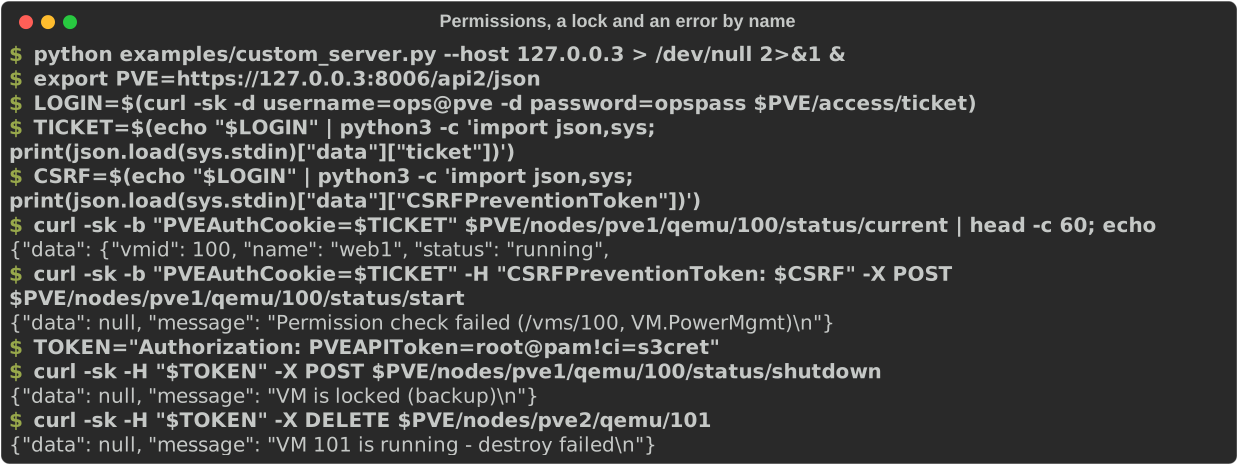
What the command line cannot do
It builds VMs and sets the login, the time scale and a latency. Everything else is Python: other users and per-path permissions, API tokens, failures (pve.fail), locks, backups, migrations, quorum, offline nodes, flaky networks, Ceph, TFA, storage space. For a standalone fake with those, write a small script. examples/custom_server.py is one: a limited user, a token, a VM in the middle of a backup and a failure by name, served until Ctrl-C.